Bridging the Gap Between Video Intelligence and Creative Workflow: The Launch of the Mux Robots Adobe Premiere Pro Plugin

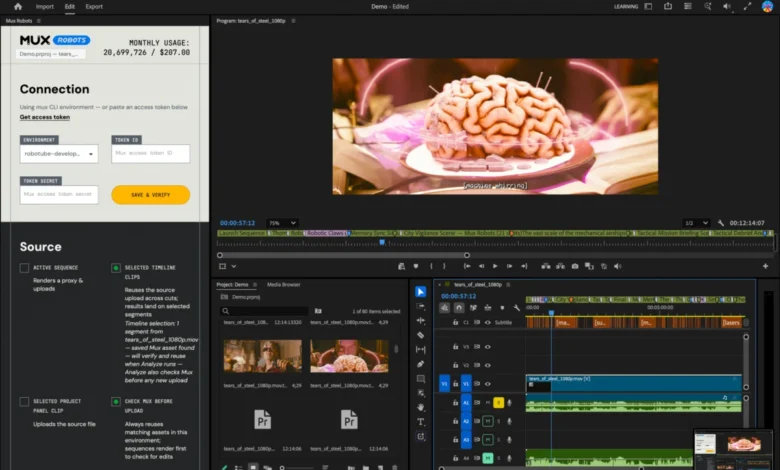
The intersection of artificial intelligence and professional video post-production reached a significant milestone following the release of a new integration designed to streamline editing workflows. Traditional video production often involves a tedious cycle of manual logging, timestamp tracking, transcription, and translation—tasks that consume hours of a professional editor’s time before the actual creative work can even begin. To address this persistent industry bottleneck, video infrastructure platform Mux has officially released the Mux Robots plugin for Adobe Premiere Pro. Available now through the Adobe Creative Cloud Stock and Marketplace, the tool directly bridges the gap between automated video intelligence and the industry-standard editing timeline.
Background Context and the Laracon Catalyst
The development of the Premiere Pro plugin was not born in a sterile laboratory environment, but rather out of a practical, real-world production challenge encountered earlier this year. In late July, Mux sponsored the livestream of the annual Laravel community dodgeball tournament at Laracon, a prominent developer conference held in the United States. Following the event, the company handed the raw recording over to its video editor, Tim, with a straightforward assignment: cut a compelling highlight reel that captured the most energetic moments of each game.
To expedite the process, the production team utilized the Mux Robots "Find Key Moments" workflow, an automated AI-driven tool designed to scan raw footage and isolate highlight-worthy plays. While the workflow successfully identified the crucial moments, it exposed a friction point common to modern media pipelines: the AI generated a structured JSON output containing exact timestamps, metadata, and descriptive titles. While highly valuable for web applications and software developers, a raw JSON file does little good for a video editor working inside a non-linear editing system. The editor was still forced to manually reference the data and place individual markers onto the Adobe Premiere Pro timeline by hand.
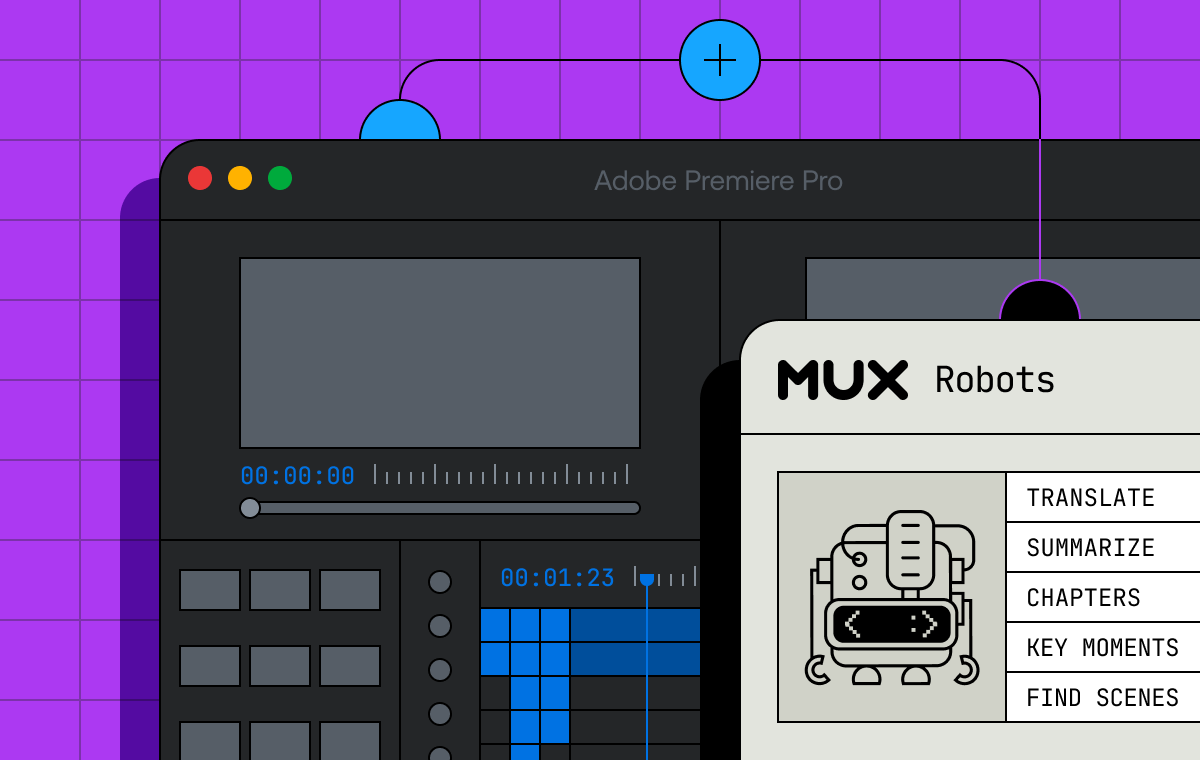
Recognizing this operational inefficiency, Mux engineers set out to build a native solution that could ingest video intelligence data directly where editors spend their time—the timeline.
How the Mux Robots Integration Works
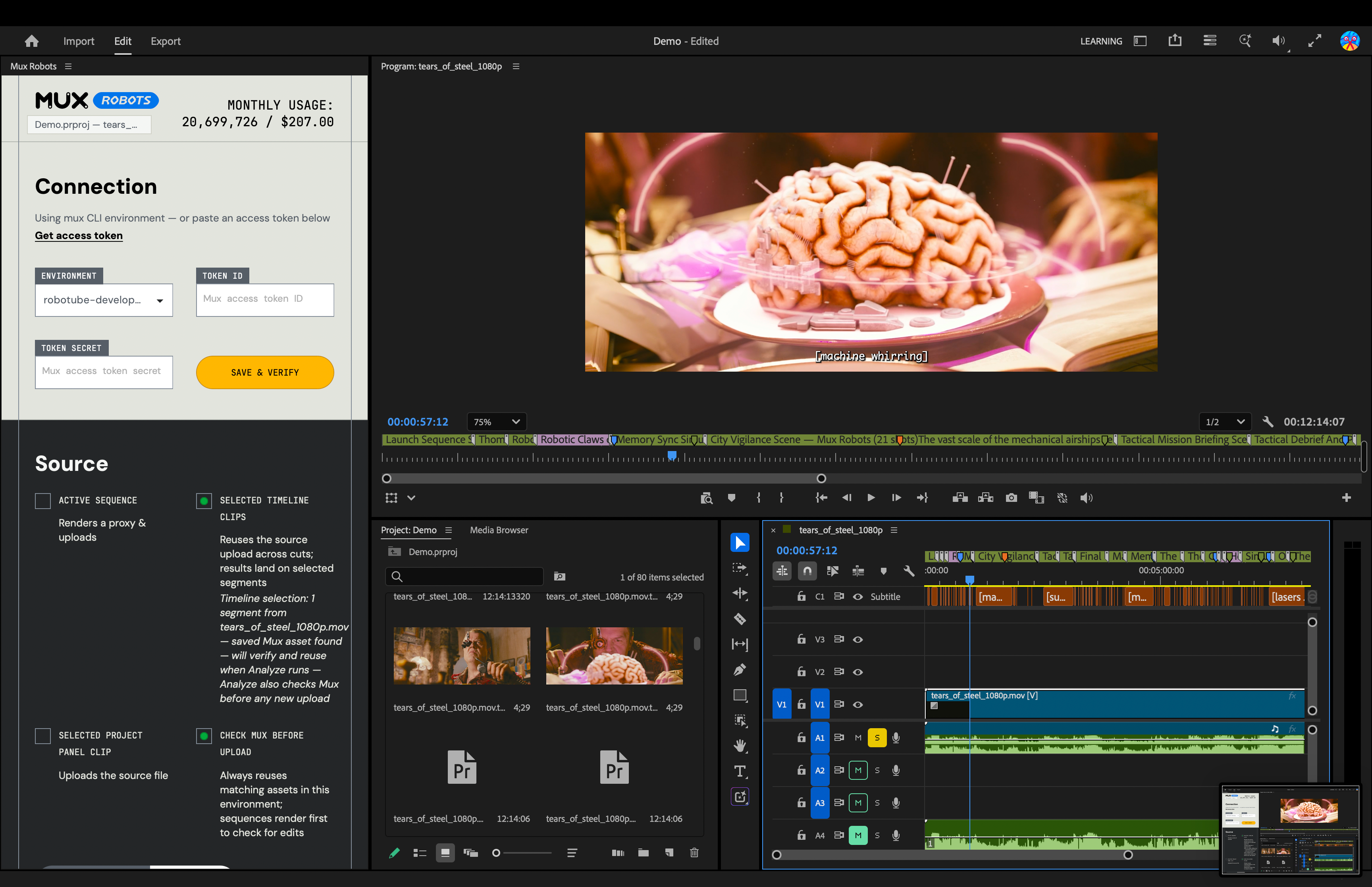
The newly launched plugin transforms how video intelligence data interacts with Adobe Creative Cloud. By integrating directly into Premiere Pro, the tool ingests API responses from various Mux Robots workflows and translates them into visual, actionable elements on the project timeline.
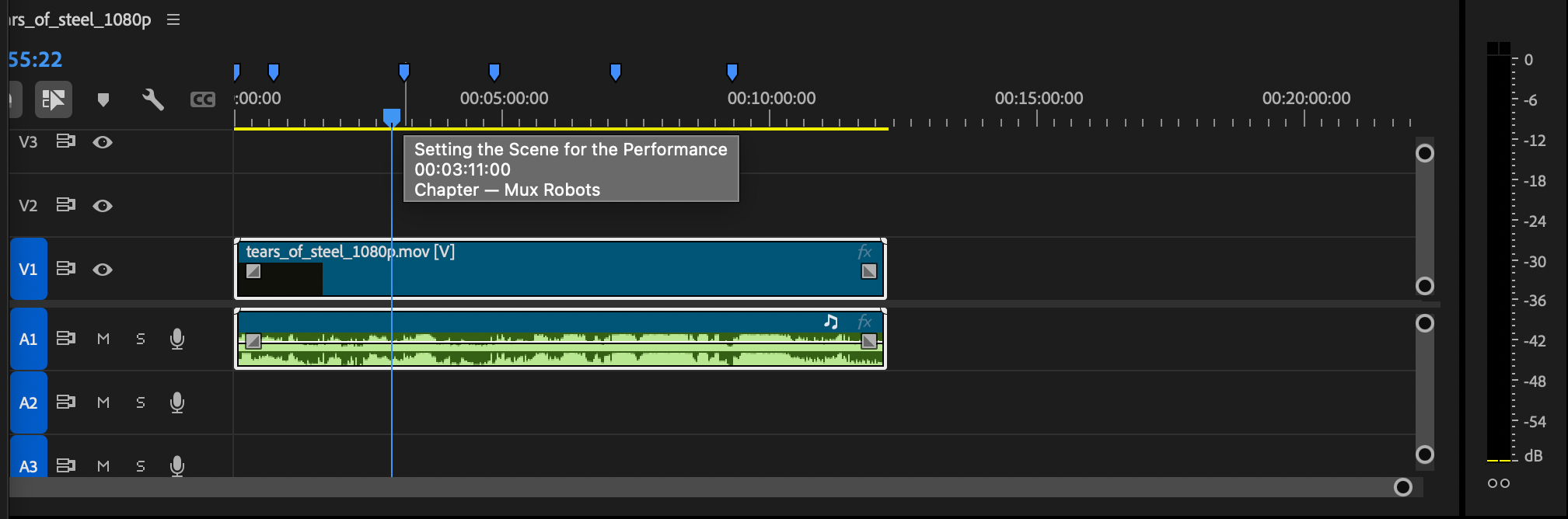
Taking the "Generate Chapters" workflow as an example, an automated API response typically delivers a structured list containing chapter titles and their corresponding start times, such as an introduction at timestamp zero, followed by subsequent segments at defined intervals. Through the plugin, these text-based metadata points are instantly converted into color-coded timeline markers. Blue markers now designate automated chapters, allowing an editor to visualize the structural flow of a lengthy recording at a single glance.
Similarly, executing a "Find Key Moments" job populates the timeline with purple markers. These indicators highlight high-value sequences identified by the platform’s detection algorithms. When an editor hovers over a purple marker, the specific details and context of that key moment appear directly within the interface, eliminating the need to cross-reference external documents or transcripts.
Leveraging Directives for Sequenced Automation
One of the most powerful architectural features of the Mux Robots plugin is its utilization of Directives. In automated video processing, certain tasks inherently depend on the completion of others. For instance, generating accurate chapter titles or isolating nuanced key moments requires a reliable, high-quality transcript of the spoken audio.
Rather than requiring users to execute multiple disjointed API calls or run separate batch processes, the plugin allows editors to bundle workflows into a single action using Directives. By selecting options such as "Generate Premium Captions," "Find Key Moments," and "Generate Chapters," the plugin orchestrates a sequential execution queue. It initiates the captioning process first, and once the text data is established, it automatically triggers the dependent chapter-generation and key-moment-detection workflows. The resulting markers populate the Premiere Pro timeline in a single, cohesive batch.
Global Localization and Multilingual Capabilities
Beyond internal organization and automated highlighting, the Mux Robots plugin addresses the growing demand for content localization in digital media. Modern creators and enterprise organizations increasingly need to reach global audiences, a requirement that traditionally necessitates contracting external translation agencies, coordinating separate audio-dubbing sessions, and manually syncing subtitle files.
The new plugin brings sophisticated localization tools directly into the editing suite. Editors can select from a wide array of target languages within the plugin interface. Mux Robots then generates translated audio tracks and precise caption files. While translated audio assets are placed directly onto the Premiere Pro timeline for immediate integration, caption tracks are routed to Premiere Pro’s Media Browser, where editors can effortlessly drag and drop them into their active projects as needed. This capability transforms a multi-step localization pipeline into an on-the-fly workflow feature, significantly reducing turnaround times for international content distribution.
Industry Implications and Future Outlook
The release of the Mux Robots plugin arrives at a time of broader technological transition within the media and entertainment sector. As generative AI and automated video analytics mature, software developers and hardware manufacturers are increasingly focused on interoperability. Tools that successfully reduce the "friction of translation" between backend automation services and frontend creative applications are poised to capture substantial market share.
For professional editors, automation tools of this caliber do not represent a threat to creative autonomy; rather, they serve as force multipliers. By automating the mechanical aspects of video production—such as rough-cut logging, timestamp placement, and initial transcript synchronization—editors are freed to focus on narrative structure, pacing, and visual storytelling. The ability to drop a multi-hour livestream into Premiere Pro, apply a single composite Directive, and instantly receive a fully marked timeline complete with localized captions represents a paradigm shift in daily productivity.
Accessibility and Getting Started

Mux has structured the rollout of the plugin to ensure low barriers to entry for independent creators and enterprise teams alike. The Mux Robots plugin for Adobe Premiere Pro is currently available via the Adobe Creative Cloud Stock & Marketplace. Users can install the extension directly through the Creative Cloud interface or by accessing the Adobe Exchange portal.
To utilize the plugin within an active project, editors require a valid Mux Token ID and secret to authenticate API calls and execute Mux Robots jobs. In alignment with modern software-as-a-service onboarding trends, Mux has made the initial setup accessible without requiring upfront credit card commitments, enabling production teams to test the integration’s efficiency within their existing pipelines before scaling their usage.
As the media landscape continues to demand faster delivery schedules and broader audience reach, the integration of automated video intelligence into foundational editing suites like Adobe Premiere Pro signals a new standard for efficiency in digital video production.